Sintronic Global:



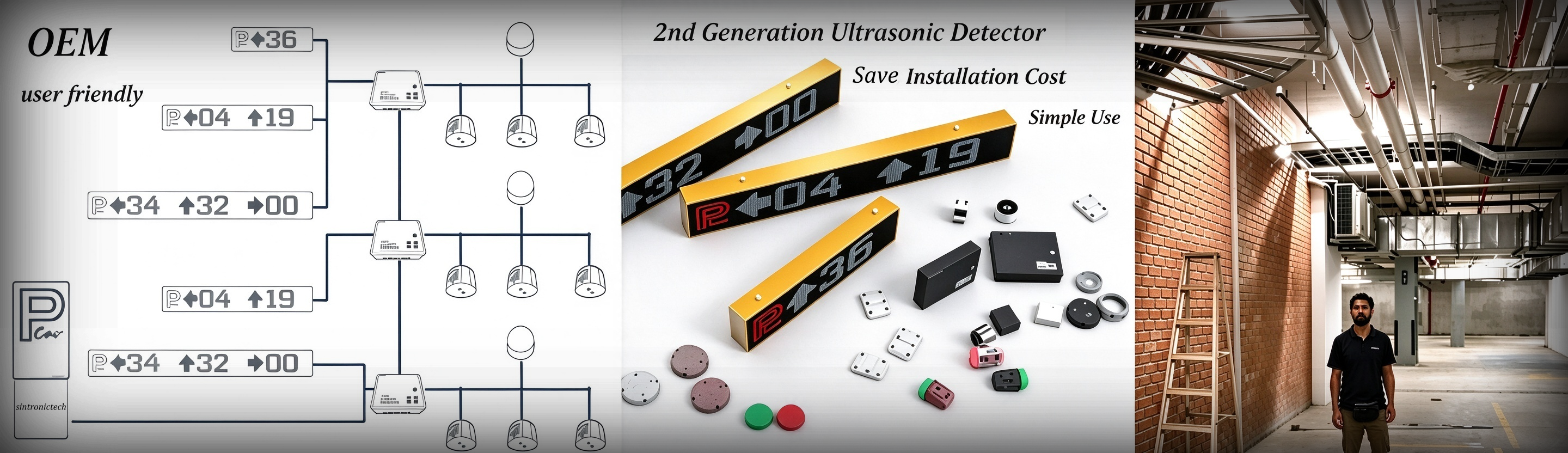
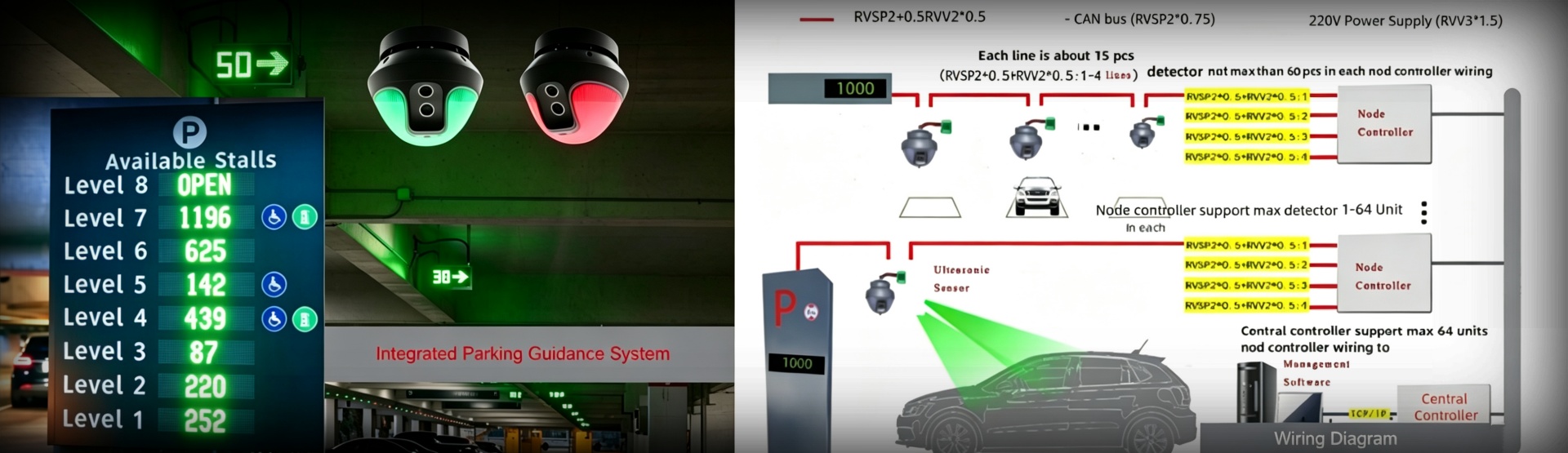
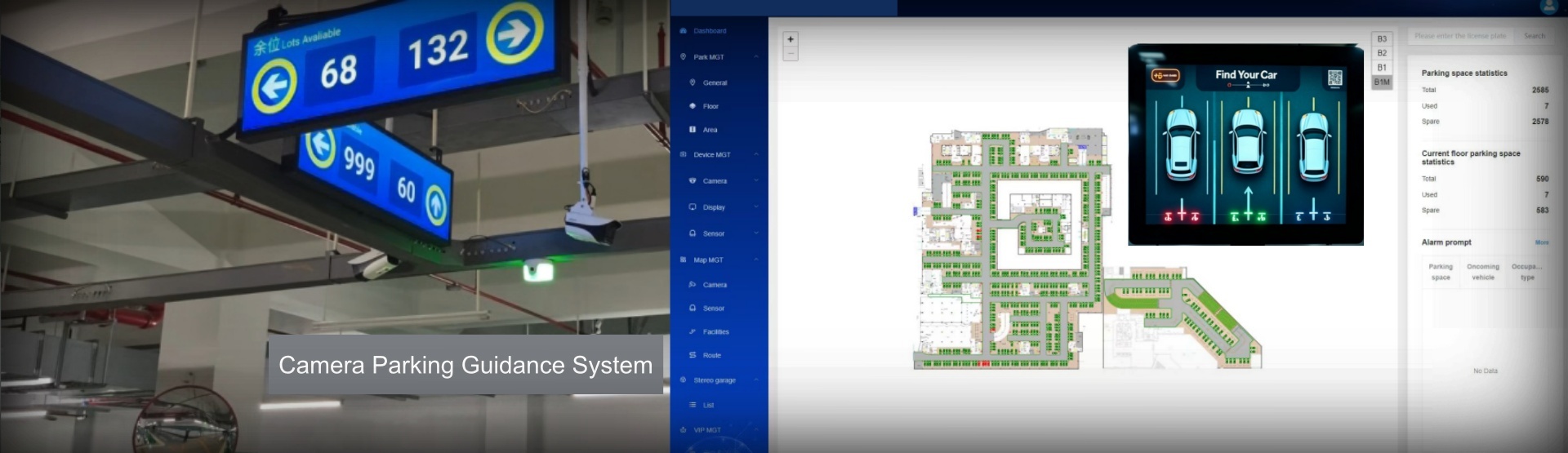
Sintronic ground detector (ground-sensor) is surface-mount, battery-powered microwave sensor for outdoor wireless parking guidance system. Different from ceiling-installed ultrasonic or camera detectors, ground detector is fixed directly on parking pavement and transmits bay-status data over LoRa wireless signal to LoRa wireless gateway.
Pre-installation Preparation & Site Survey
Complete site assessment before construction:
1. Review project CAD drawings, number every parking bay, mark mounting position for each ground detector at the centre of each bay.
2. Complete LoRa RF signal survey: confirm proper wireless signal coverage; plan mounting position for LoRa wireless gateway. One gateway can manage multiple ground detectors within valid transmission range (≤30m open-air). Avoid large metal shelters and high-rise obstacles that block LoRa radio wave.
3. Hardware list: ground-sensor detectors, M6*60 fixing screws, expansion bolts, LoRa wireless gateway, PGS node / central controller, outdoor LED guidance display.
4. Tools: measuring tape, marking chalk, 8MM impact drill, screwdriver, multimeter, LoRa configuration tool, laptop for system debugging.
5. Hardware inspection: check ground-sensor shell integrity, confirm built-in 9000mAh battery is intact, label with unique device ID is clear.
Key Installation Requirement
1. Ground Detector: Install at the exact centre of each parking bay. Keep sensor flat and tight against pavement surface, no tilting or gap underneath. Do not cover the top microwave sensing face.
2. LoRa Wireless Gateway: Mount gateway at relatively high open position, antenna pointing upwards, stay away from heavy metal cabinets or large metal obstacles. Operates with DC24V power supply.
3. Environment: Avoid mounting ground detector on severely uneven pavement; keep away from thick metal objects which will interfere microwave detection and LoRa wireless transmission.
4. Safety: Wear reflective safety garments when working on active parking lot lanes, block construction zone for road safety.
Step-by-Step Installation Procedure
1. Mark centre point of each parking bay with chalk.
2. Drill four fixing holes on pavement using 8MM impact drill, install expansion bolts.
3. Place ground-sensor flat on marked centre position, align mounting holes. Fasten firmly with M6*60 screws. Ensure detector shell is fully attached to ground without shaking.
Important: Do not drill through the detector housing; keep the top sensing surface fully exposed, free from concrete, sand or debris covering.
1. Mount LoRa gateway on wall or pole at designated high-open position. Keep antenna vertically upward.
2. Connect DC24V power supply for gateway. Connect gateway network port to PGS central controller or local LAN network.
3. Set LoRa frequency sector coding via dip-switch on gateway circuit board, match frequency parameter with all ground detectors in same zone.
1. Activate each ground-sensor detector; assign unique frequency / sector code for every device within same LoRa gateway group.
2. Record each detector’s unique ID mapping with corresponding parking bay number for later software debugging.
3. Set transmission interval and detection sensitivity according to project site pavement condition.
1. Power-on LoRa wireless gateway first, wait for gateway to finish initialization.
2. Activate each ground detector one by one. Ground-sensor will send heartbeat signal to gateway.
3. Verify LoRa RSSI signal strength on configuration tool, ensure stable wireless uplink from each ground detector to gateway.
4. Perform simulation vehicle test: place heavy object above ground detector. Check whether bay status correctly switches between “occupied” and “vacant”.
5. Log in PGS-SW parking guidance software. Confirm all ground detectors go online normally and upload real-time parking-bay occupancy data.
6. Verify outdoor LED guidance display shows correct available-bay quantity synchronised from ground-sensor data.
Critical Installation Notes
1. Ground detector is IP66 waterproof, but keep screw terminals and device top surface free from long-term water ponding.
2. Do not paint or cover the microwave sensing face of ground-sensor, this will cause detection failure.
3. Respect LoRa transmission limit. Add extra LoRa gateway if parking lot area exceeds valid wireless coverage.
4. Mixed-mode deployment is supported: ground detector can work together with integrated detector, split detector or camera detector within one complete PGS project, every device must keep unique ID / address.
5. Ground-sensor relies on internal large-capacity battery; no external power wiring required for each parking bay. Do not open detector shell on-site, or battery warranty will become invalid.

Contact: Tim Wu
Phone: +86-15813805304
Tel: +86-15813805304(whatSapp)
Email: infors@sintronictech.com
Add: Pengrunda Commercial Plaza 32101,NanShan Area,Shenzhen
 Whatsapp